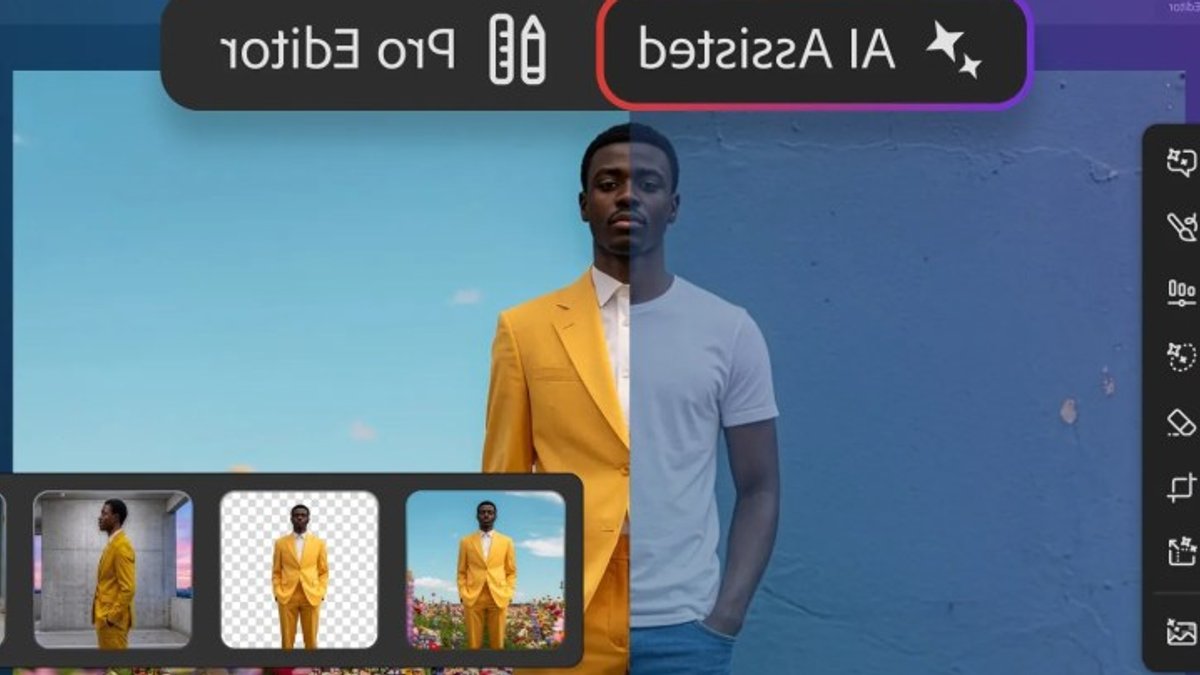
Photoshop AI Assisted Editor entered beta this week, offering a prompt‑driven workspace that aims to lower the learning curve for newcomers while still serving seasoned creators.
Beta mode presents a streamlined interface
The new AI Assisted Editor sits beside the traditional Pro Editor view, presenting a side panel with generative tools such as Generative Fill, Remove Background and AI Markup. A text box lets users type simple commands, and the software interprets them in real time.
Adobe says the layout mirrors the earlier Firefly editor, but it lives inside the full program.
The mode can be hidden entirely.
New users may find the reduced set of icons less intimidating, while experienced designers could flip to this view for quick mock‑ups or concept sketches. It’s a bit like a stripped‑down Photoshop, but still packs the punch.
Prompt to Edit expands text‑driven changes
Among the headline features unveiled on Thursday, Prompt to Edit lets a single sentence reshape an entire canvas.
Typing “add stormy clouds and rain” generates a new layer.
The output layer integrates seamlessly with both the simplified and classic workspaces, giving users flexibility regardless of their preferred layout.
Adobe also introduced a “markup” tool that lets creators draw directly on an image to indicate areas for recolor or other adjustments. It simplifies the workflow.
This visual cue can be easier for the AI to interpret than a plain text description.
Instruct Edit with Masks, built on Firefly Image 5, follows the same principle: users specify which parts of a picture to alter via prompts, while unmarked regions stay untouched.
The addition of a Light Adjustment Layer brings exposure, contrast and shadow controls to a non‑destructive layer, a feature long requested by professionals.
A dockable Stock Panel now offers quick access to over 900 million assets from Adobe’s library, and the new Dynamic Text, Shapes and Paths function automatically aligns text along curves for freeform designs.
The firm first rolled out the Firefly editor, introducing a similar prompt workflow, yet the current AI Assisted mode embeds that concept within the full‑featured environment.
This mirrors past attempts to blend simplicity with depth, suggesting the company is refining a balance it has chased for years.
Beta participants can toggle the mode on demand, and the feature set will evolve based on feedback.
It has not announced a firm release date, but the company indicated that the tools will remain part of the subscription suite.


